
Local Admin Account Creation and the SAMR API
This post compiles multiple techniques to create local administrator accounts on Windows systems, from basic commands to the lowest-level SAMR API calls. It serves as a resource for Purple Teams to test detection capabilities against this common persistence method.
Repository: https://github.com/ricardojoserf/AddUser-SAMR
Motivation
Creating a local administrator account is one of the easiest persistence methods you can use when you compromise a system. It is also one of the most watched actions so if you are a Red Team operator you will probably avoid to do this if you want to avoid being detected.
However, less sophisticated attackers might add new accounts to your systems, so from a Purple Team point of view it might be very interesting to find if the Blue Team can always detect it. This is specially the case in huge organizations where only some specific critical systems are monitored for this.
To test the detection, this post contains all the ways (I found) to create a local user and add it to a group in a Windows system, so you can test the alarms are raised as expected!
It contains 7 methods from some of the most common ones such as using net.exe to using low-level APIs. Methods such as using wmic are not included because it is already deprecated, and others seemed redundant, but if you know more ways to do this (specially using low-level APIs)… please let me know!
Contents
1. net.exe
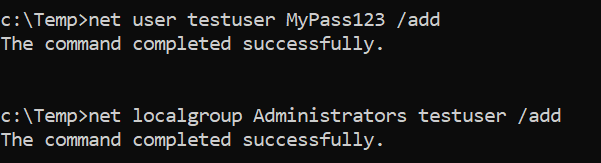
The net.exe approach is the most universal way to create a user. It uses a built-in Windows command, so it works on essentially any version of Windows.
Because it is so standard, running net user /add is generally easy for defenders to spot: the system’s security logs will record the creation of the new account and the change to the Administrators group. In other words, this method is very noisy and produces obvious events.
net user testuser MyPass123 /add
net localgroup Administrators testuser /add
2. GUI
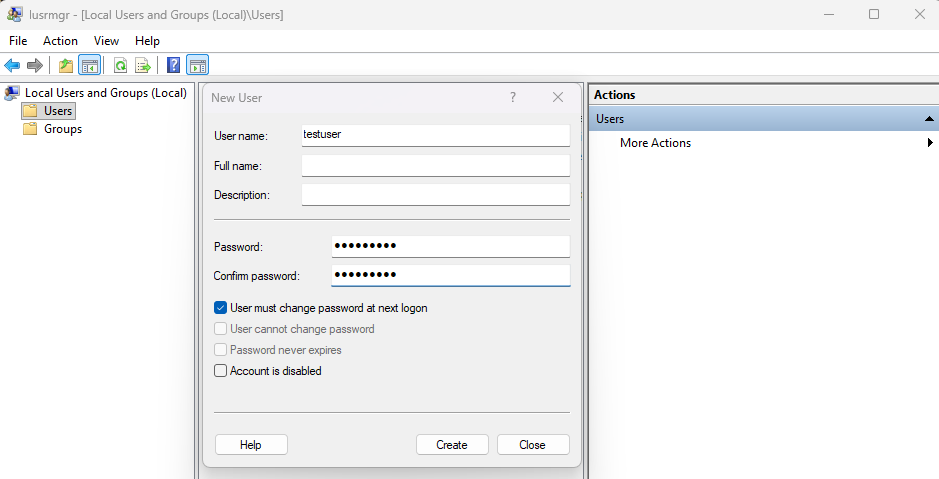
It is possible to use the Windows GUI (such as Settings, Local Users and Groups MMC or netplwiz) to create users. Behind the scenes they invoke the same account-creation functionality, but any use of the GUI is obvious: it requires user interaction or automation of UI elements. The process is very noisy because it leaves the same audit trail and also involves visible programs.
An attacker relying on stealth would normally avoid these, since anyone watching the machine (or log streams) will detect it easily.
3. PowerShell cmdlets
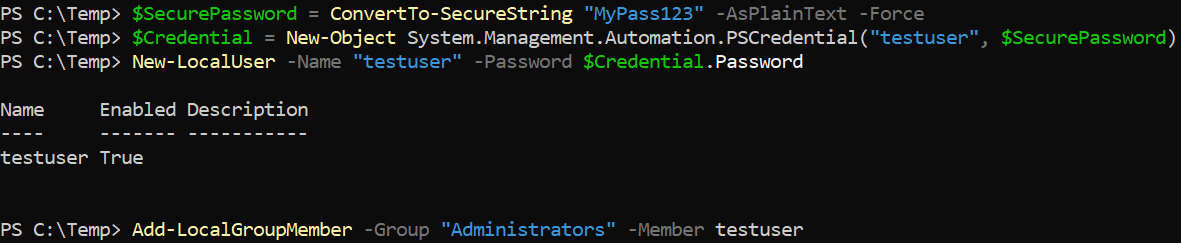
PowerShell’s New-LocalUser and Add-LocalGroupMember cmdlets achieve the same result in a more script-friendly way. They offer a convenient, programmatic interface for modern Windows environments.
However, these commands still invoke the same underlying Windows API calls to create the user and set its password. As a result, they produce the same standard user-account creation events in the system logs (and also appear in PowerShell logs if those are enabled).
In practice, this method is also quite noisy: it is easier to script than net.exe, but it is not stealthy.
$SecurePassword = ConvertTo-SecureString "MyPass123" -AsPlainText -Force
$Credential = New-Object System.Management.Automation.PSCredential("testuser", $SecurePassword)
New-LocalUser -Name "testuser" -Password $Credential.Password
Add-LocalGroupMember -Group "Administrators" -Member testuser
4. ADSI
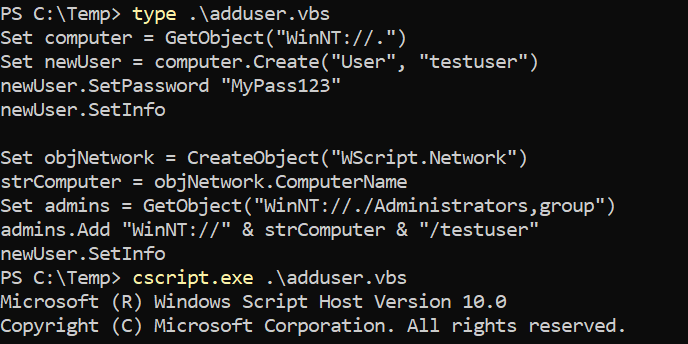
This method uses the ADSI WinNT provider to create the user via a script. In essence, ADSI is doing the exact same operations (create account, set password, add to Administrators) under the hood.
You can do this using VBScript:
Set computer = GetObject("WinNT://.")
Set newUser = computer.Create("User", "testuser")
newUser.SetPassword "MyPass123"
newUser.SetInfo

Set objNetwork = CreateObject("WScript.Network")
strComputer = objNetwork.ComputerName
Set admins = GetObject("WinNT://./Administrators,group")
admins.Add "WinNT://" & strComputer & "/testuser"
newUser.SetInfo
Or using Powershell:
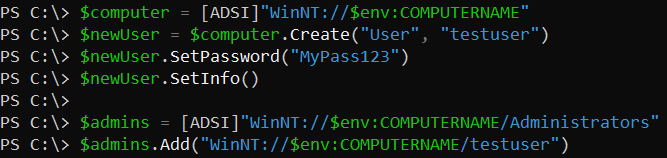
$computer = [ADSI]"WinNT://$env:COMPUTERNAME"
$newUser = $computer.Create("User", "testuser")
$newUser.SetPassword("MyPass123")
$newUser.SetInfo()

$admins = [ADSI]"WinNT://$env:COMPUTERNAME/Administrators"
$admins.Add("WinNT://$env:COMPUTERNAME/testuser")
5. .NET Framework
Using .NET’s DirectoryServices is another programmatic way to do what ADSI does, but in a compiled C# program.
The code connects to WinNT://. and creates the user, then finds the Administrators group to add it. It still uses the same legacy WinNT, so it does not have any stealth advantage.
using System;
using System.DirectoryServices;

class Program
{
    static void Main()
    {
        try
        {
            DirectoryEntry localMachine = new DirectoryEntry("WinNT://.");
            DirectoryEntry newUser = localMachine.Children.Add("testuser", "user");
            newUser.Invoke("SetPassword", "MyPass123");
            newUser.CommitChanges();

            DirectoryEntry admGroup = localMachine.Children.Find("Administrators", "group");
            string computerName = Environment.MachineName;
            string userPath = "WinNT://" + computerName + "/testuser";
            admGroup.Invoke("Add", userPath);

            Console.WriteLine("User created and added to Administrators");
        }
        catch (Exception ex)
        {
            Console.WriteLine("ERROR: " + ex.Message);
            if (ex.InnerException != null)
            {
                Console.WriteLine("Inner: " + ex.InnerException.Message);
            }
        }
    }
}
Then compile it (I recommend using the x64 Native Tools Command Prompt for VS cmd):
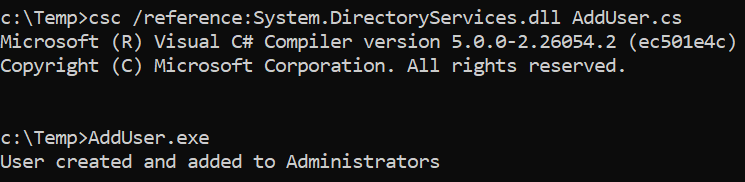
csc /reference:System.DirectoryServices.dll AddUser.cs
And finally, execute it:
6. NetUserAdd API
Calling NetUserAdd (and NetLocalGroupAddMembers) directly is a lower-level approach. Instead of launching a built-in tool, you execute a function inside netapi32.dll from your code.
NetUserAdd leaves fewer process artifacts so it can be considered stealthier than the previous methods.
#include <windows.h>
#include <lm.h>
#include <stdio.h>

#pragma comment(lib, "netapi32.lib")

int main() {
    USER_INFO_1 ui;
    DWORD dwError = 0;

    ui.usri1_name = (LPWSTR)L"testuser";
    ui.usri1_password = (LPWSTR)L"MyPass123";
    ui.usri1_priv = USER_PRIV_USER;
    ui.usri1_home_dir = NULL;
    ui.usri1_comment = NULL;
    ui.usri1_flags = UF_SCRIPT | UF_DONT_EXPIRE_PASSWD;
    ui.usri1_script_path = NULL;

    if (NetUserAdd(NULL, 1, (LPBYTE)&ui, &dwError) == NERR_Success) {
        printf("User created\n");

        LOCALGROUP_MEMBERS_INFO_3 lmi;
        lmi.lgrmi3_domainandname = (LPWSTR)L"testuser";

        if (NetLocalGroupAddMembers(NULL, L"Administrators", 3, (LPBYTE)&lmi, 1) == NERR_Success) {
            printf("Added to Administrators\n");
        }
    }

    return 0;
}
Then compile it (I recommend using the x64 Native Tools Command Prompt for VS cmd):
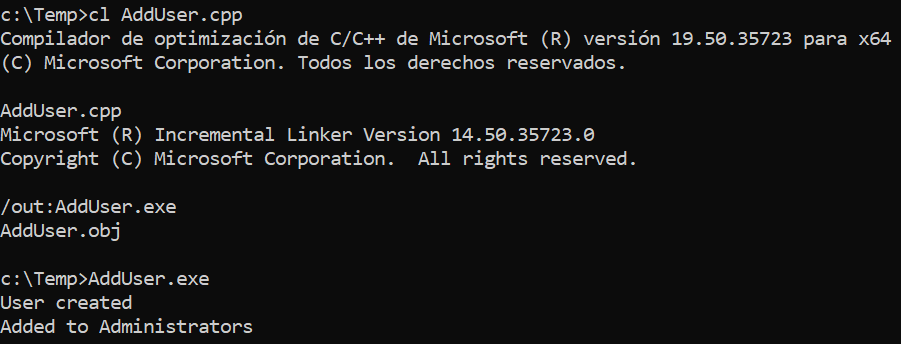
cl AddUser.cpp
And finally, execute it:
7. SAMR API and AddUser-SAMR
The SAMR protocol is the RPC-based interface that Windows uses internally to manage the local accounts database. By calling SAMR functions directly, you can create a user at the lowest level, so it is generally considered the quietest approach of all (though it is more complex to implement).
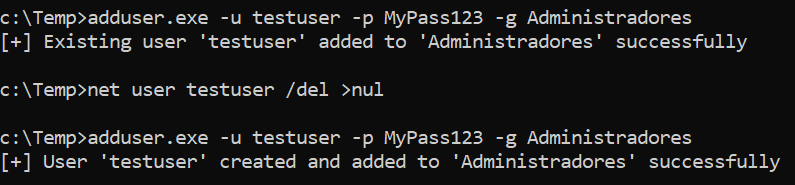
AddUser-SAMR is a group of scripts that demonstrates this technique. It requires Administrator privileges and if the user exists, it gets added to the group but the password is not updated.
There are 4 implementations in this repo (C#, Python, Rust and Crystal), but there are public versions in other languages such as C++ or BOF file.
It uses the following SAMR calls:
-
SamConnect - Connect to the SAM server
-
SamEnumerateDomainsInSamServer - Enumerate domains
-
SamLookupDomainInSamServer - Get domain SIDs
-
SamOpenDomain - Open domain handles
-
SamCreateUser2InDomain - Create the user account
-
SamSetInformationUser - Set user password
-
SamLookupNamesInDomain - Find admin group
-
SamOpenAlias - Open group handle
-
SamRidToSid - Convert RID to SID
-
SamAddMemberToAlias - Add user to group
The arguments are:
-
-u, --username: Username to create (required) -
-p, --password: Password for the user (required) -
-g, --group: Group name (default: “Administrators”) -
-v, --verbose: Enable verbose output -
-h, --help: Show help message
# Basic usage
adduser.exe -u <username> -p <password>

# Specify group
adduser.exe -u <username> -p <password> -g <group>

# Verbose output
adduser.exe -u testuser -p MyPass123 -g Administrators -v
For more information about compiling each implementation, please check the repository! ;)